Free Amazon wholesale course: Apex University's nine video lessons
Apex University is Apex's video course on Amazon wholesale: nine lessons, about two hours and forty minutes in all, taught by Stef from his own selling. It runs from choosing a business model and setting up to finding suppliers, research, purchase orders and restocking. It comes with a free Apex account, and every lesson is also on YouTube.
Stef, who teaches the course, takes you through the work in the order it happens: the business model, the setup, suppliers, research, the first order and the reorders after it. You watch the lessons inside Apex, where the tools they demonstrate live, and each lesson unlocks the next. Finish all nine and the Apex for Amazon Sellers Chrome extension opens its data.
To start, create an Apex account and open Apex University from the menu. Nine lessons, no card. If you already have an account, log in and it's there.
The nine lessons at a glance
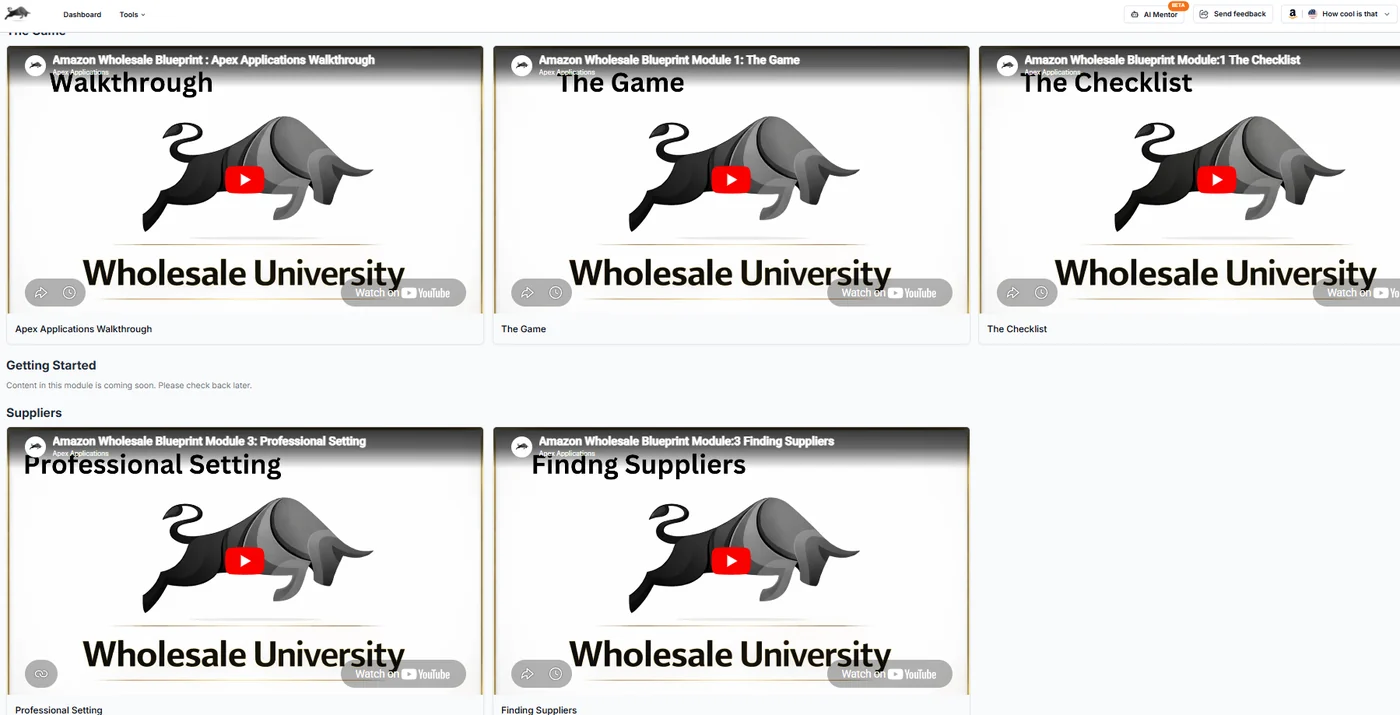
The lessons sit in four modules. Every lesson name below opens it on YouTube, so you can see what you're getting before you sign up.
| # | Lesson | Module | Length | What it covers |
|---|---|---|---|---|
| 1 | Apex walkthrough | The Game | 27:10 | One supplier followed through Apex, from adding the vendor to a purchase order and a restock |
| 2 | The Game | The Game | 8:13 | Private label or wholesale, and FBA or FBM |
| 3 | The Checklist | The Game | 7:46 | The business setup to finish before your first supplier application |
| 4 | Professional Setting | Suppliers | 9:57 | Looking credible to distributors: domain email, website, business address |
| 5 | Finding Suppliers | Suppliers | 23:50 | How brands and distributors connect, and where to find suppliers |
| 6 | UPC Scanner | Product Research | 20:36 | Checking a supplier's whole price list against Amazon |
| 7 | Brand Reverse Search | Product Research | 19:09 | Working back from a brand to its products and distributors |
| 8 | Purchasing | Purchasing | 32:13 | Building a first order for products you've never sold |
| 9 | Restocking | Purchasing | 12:54 | Lead time, days of cover and how much to reorder |
That's about two hours and forty minutes of video, an evening or two of watching.
Lessons that show Apex itself were filmed on an earlier version of the app, so some buttons and pages look different today. Where it helps, the sections below point to today's screens.
The Game: how wholesale works and what to set up
Apex walkthrough
The first lesson is a tour of Apex, built around one supplier. Stef adds the vendor with its minimum order and lead time, scans its catalog by UPC, keeps the matches in a database, filters them, and builds a purchase order from what's left. Then he shows the analytics, restock and operating expense pages. The link above starts where that supplier workflow begins, 5:01 in.
Jump to: 6:15 a supplier's minimum order and lead time, 7:01 scanning a catalog, 12:36 filtering for profit and rank, 14:58 building a purchase order, 19:49 analytics and restocking.
If you'd like the written version of the whole workflow, how Amazon FBA wholesale works covers the business, and Amazon wholesale software covers the tools.
The Game
Stef has sold both private label and wholesale, and this lesson compares them. Private label gives you the brand, the packaging and the price, but the product starts with no sales history, so you pay to create demand. Wholesale resells name brands that already sell every month, so it's faster to launch and lower risk. The trade is that you don't own the brand, your storefront isn't an asset you can sell later for much, and margins are thinner. The last part compares FBA with FBM and explains why the course assumes Amazon does the shipping.
Jump to: 0:32 the two models, 1:23 private label, pros and cons, 3:42 wholesale, pros and cons, 6:00 FBA or FBM, 7:14 the skills the course builds.
Read next: reselling on Amazon sets wholesale beside arbitrage and the other models, and wholesale vs private label goes deeper on the choice.
The Checklist
Everything to have in place before you apply to a supplier: an LLC and an EIN, because distributors want to deal with companies, not individuals; a business bank account; an Amazon selling account on the Professional plan with two-step verification; a resale certificate; and a DUNS number, which Stef sees more large distributors asking for. Then the things that make an application look serious: an email address on your own domain, a website, a business address, a short pitch you can repeat, a proper email signature, and a one-page company presentation. He also covers the research tools he uses, with Keepa at the top.
From Stef's lesson (The Checklist, 4:10 to 4:39), on why the email address matters:
"These distributors are receiving hundreds of applications per month, and they're filtering out anybody with a Yahoo or Gmail address."
That's Stef's experience of how distributors screen applications, not a rule any of them publishes. When the lesson covers Amazon's selling plans, it calls the Individual plan the "starter plan" and gives both fees in round numbers. Amazon's current plans and fees are in Amazon FBA fees explained.
Jump to: 0:36 LLC and EIN, 1:42 the selling account, 3:01 resale certificate, 3:40 DUNS number, 5:06 research tools, 5:41 your pitch and company one-pager.
Read next: how to start Amazon wholesale, how to create an Amazon seller account, the resale certificate, what it costs to start and whether you need Keepa.
Suppliers: looking credible and finding the right ones
Professional Setting
The lesson on looking credible before you contact a distributor: a business email on your own domain, a website and a business address. The Checklist names the email and the website and points ahead to the supplier lessons for the detail, and Finding Suppliers opens by calling this the setup you need before you reach out to any vendor. At under ten minutes, it's an easy one to watch straight through.
Read next: how to open a wholesale account, which covers what distributors ask for, and distributor email templates for the first message.
Finding Suppliers
Stef starts with how the supply chain fits together. A manufacturer sells to redistributors, which sell to smaller distributors, which sell to wholesalers and then retailers. While your budget is small, wholesalers and distributors are where you start; redistributors come later. Manufacturers usually won't sell to you directly, but they will often tell you who distributes their products, and a distributor that turns you down can tell you who it supplies.
From there the lesson builds a list of suppliers to research. He asks ChatGPT for a list of grocery distributors, then screens each company's website before applying anywhere, dropping the ones that sell fresh food to supermarkets rather than branded products that sell on Amazon. A quick look at a supplier's site, in his words, will "save you a ton of time." He also uses directories such as Wholesale Central and trade shows, and his advice on shows is to plan them: find out which companies are exhibiting, research their brands on Amazon first, and arrive with a short list of the ones to meet.
An AI-generated list is a starting point, not a list of suppliers. Check that each company is real, still trading and sells branded goods before you spend time on an application.
Jump to: 1:49 the supply chain, 3:24 asking manufacturers for their distributors, 5:11 building a list with ChatGPT, 7:03 screening a supplier's website, 16:28 supplier directories, 17:00 trade shows, 21:24 what changes once you've ordered.
Read next: Amazon wholesale suppliers for the full method, the Distributor Vault for names to research, and how to negotiate with distributors for once you're buying.
Product Research: what's worth buying
UPC Scanner
This lesson takes a supplier's whole price list and checks it against Amazon at once, matching each line to a listing by UPC, instead of looking products up one at a time. It's the step that turns a catalog of thousands of lines into a short list worth a closer look. It was filmed on an earlier version of Apex; the short tour below shows the scanner as it is today.
On Beginner, Apex scans as many price lists as you like, up to 50,000 products a month. You can follow the same method by hand, product by product, with how to analyze a wholesale price list, and watch for case packs and multipacks when you match a supplier's units to an Amazon listing.
Brand Reverse Search
Instead of starting from a supplier's catalog, this lesson starts from a brand: find a brand worth selling, look at its products on Amazon, then work back to the companies that distribute it. It was also filmed on an earlier version of Apex. Stef sums up the idea, which he calls reverse sourcing, at the end of the Finding Suppliers lesson. From Stef's lesson (Finding Suppliers, 23:15 to 23:44):
"You go to Amazon, you find the brand that you're looking for, you find who the manufacturer is, you reach out to the manufacturer, they'll give you a list of distributors."
Read next: how to find brands to sell on Amazon wholesale, brand-direct wholesale, and products to avoid before you fall for a brand.
Purchasing: the first order and every reorder after it
Purchasing
The longest lesson, and the one most worth watching twice. Stef builds a purchase order live for products he has never sold. He separates the two kinds of order a wholesale seller places, a restock (where you have your own sales history) and a new product order (where you don't), then works through the new one:
- Know the supplier's minimum order first, whether it's a dollar amount, a number of cases or a number of products, and set your budget.
- Get the landed cost right: the unit cost plus prep, inbound shipping and Amazon's placement fee.
- Filter the supplier's products by minimum profit, ROI and sales rank. His settings in the lesson suit that one supplier's low-cost personal care products; set your own.
- Leave out hazmat products while you're new.
- Compare today's price with the 30, 60 and 90-day averages, and pass on products whose profit only works at today's price.
- Set quantities from monthly sales and how the Buy Box is shared. In his first example, the top two sellers each held about a fifth to a quarter of the Buy Box, so he bought about a quarter of a month's sales: two cases of 24. For a test buy, his rule of thumb is roughly 24 to 48 units of a product (14:05 in the lesson), enough to see how fast it sells for you and to let a customer buy more than one.
- Send the supplier the order in the format it asks for, and once it's paid, close the order and keep the invoice with it.
From Stef's lesson (Purchasing, 8:40 to 8:51), on the first pass through the filtered list:
"So view this as the first round of filtration when choosing what you want to be buying. We're gonna choose the quantities when we're already building the PO."
Jump to: 0:19 restock or new product, 1:20 minimums and budget, 4:51 landed cost, 5:38 profit, ROI and rank filters, 10:40 building the order, 13:22 Buy Box share and how many to buy, 15:16 who you're really competing with, 27:31 sending the order to your supplier, 30:22 closing the order and keeping the invoice.
Read next: your first wholesale order, the purchase order workflow and landed cost.
Restocking
The last lesson is about keeping what sells in stock. Stef breaks the wait for new stock into three parts: the supplier's lead time to your warehouse or prep center, the days it takes to prep and label, and the trip into Amazon until the units can be sold. Then he works an example around a product he used to resell (Restocking, 1:06 to 3:42). The numbers are his illustration, not a typical result:
| Step | His figures |
|---|---|
| Units in stock | 81 |
| Units sold a day | 12.5 |
| Days of stock left (81 ÷ 12.5, rounded up) | 7 |
| Lead time: 12 days from the supplier, 3 to prep, 4 into Amazon | 19 days |
| Days out of stock if he reorders today (19 minus 7) | 12 |
| Sales missed (12 × 12.5) | 150 |
| Profit missed at $2.16 a unit | $324 |
To hold 30 days of stock and cover the 19 days of lead time, the stock level he aims for is 12.5 × (30 + 19) = 612.5, rounded up to 613 units. Take away what you already have and what's on its way, and the rest is the order. Before any reorder he rechecks the competitors on the listing, and he treats a reorder as the moment to ask the supplier for a volume discount, because you're now a customer who comes back.
The second half sets this up in Apex: each supplier's lead time on its vendor record, prep days on the restock settings (he adds a day to whatever the prep center quotes), and the days of stock to aim for, where he recommends 30 as the default.
Jump to: 0:31 what lead time is made of, 1:06 the cost of running out, 2:55 how much stock to hold, 4:13 check competitors before you reorder, 5:00 ask for a better price on reorders, 7:18 restocking in Apex, 11:15 a restock purchase order.
Read next: when to reorder on Amazon, which has a reorder point calculator you can run with your own numbers, and inventory management for wholesale.
How to take the course
In Apex. Create an account and open Apex University. The lessons unlock one at a time, in order. A lesson counts as finished when you watch it to the end, or past about 90% of it. If the video player can't report your progress (an ad blocker can stop it), a Mark as finished button appears instead, so nobody gets stuck.
After the last lesson. Apex's Chrome extension is the reward for finishing. It's free to install, and its numbers open when you finish Apex University. It shows profit, fees and sales estimates on Amazon listings and supplier sites, which is the research half of the course in your browser.
On YouTube. Every lesson is public on the Apex Applications channel, linked in the table above. That's handy for a refresher or for jumping to one topic. Only lessons finished inside Apex count toward the extension, though.
Where to start. If you're new, take the lessons in order. They follow the order the work happens. If you already sell with arbitrage and are moving to wholesale, Suppliers and Purchasing will be the newest material for you; the YouTube copies let you watch those first while you work through the rest in Apex.
A pace that works. One module a sitting, then do the thing it teaches before you move on: register the business after The Checklist, write ten supplier names down after Finding Suppliers, run one price list after the research lessons. The lessons stick when you use them the same week.
What an Apex account opens
The course is the main reason to open an account before you're ready to buy software. Here's everything that costs nothing, from no account at all to finishing the course, and where the paid plans start.
- No account
- Guides and articles
- Profit, ROI and break-even calculator: unlimited, no sign-in
- FBA calculator: 3 free lookups, then sign in with a plan
- Calculators inside the guides: no product lookup, no sign-in and no counter
- Free account
- Apex University: nine lessons, no card
- Review Booster: free to switch on until October 31, 2026, 20 requests a month
- Apex Red (prep and shipments): when your prep center is approved on Apex
- Bundle Watch: every listing checked against Amazon's January 11 bundle rule, on every plan
- After Apex University
- Apex for Amazon Sellers (Chrome extension): free to install, and its data opens once you finish Apex University
- Paid plans
Supplier price list scans, Distributor Vault contacts, Purchase orders, Profit and loss, The repricer, on Pro.
- Beginner, $49.99 a month, plus tax where applicable. New sellers under $5,000 a month in Amazon sales.
- Starter, $149 a month, plus tax where applicable. Sellers building their first supplier catalog and purchase orders.
- Pro, $299 a month, plus tax where applicable. Teams running several suppliers and marketplaces at once.
The lessons show paid features in use, such as price list scans and purchase orders. You can follow every lesson without a plan, using the profit calculator and the written guides linked above. When you'd rather the software did the scanning and the math, the pricing page compares the plans.
What the course doesn't cover
Nine lessons can't cover everything, and a few parts of the business have no lesson yet. These are the written guides to read alongside it:
- Getting approved to sell a brand or category. The ungating guide covers how approvals work and what to send.
- Amazon's fees in detail. Amazon FBA fees explained is the guide to each one.
- Prep, labels and shipping into Amazon. Start with FBA prep centers and Send to Amazon, step by step.
- Pricing and the Buy Box once you're live. See the Amazon Buy Box.
- Keeping your account healthy. See Amazon account health.
- Bookkeeping. See Amazon FBA bookkeeping.
The Amazon wholesale roadmap puts all of this in order, from your first question to a business that restocks on a schedule.
Apex University or Amazon's Seller University?
Amazon's own Seller University is free, and Amazon says you don't need a selling account to use it. It has videos and downloadable guides on more than 125 topics, from listing and pricing to fulfillment and advertising. It's the place to learn how Seller Central and Amazon's programs work, straight from Amazon.
Apex University teaches the wholesale business around those tools: which suppliers to approach and how, what to buy from a price list, how much to buy the first time, and when to reorder. The two don't overlap much, and it's worth using both.
What the course can't promise
Apex University teaches a process. It can't open supplier accounts for you, because each supplier decides who it sells to. It can't get you approved in a gated category, because Amazon decides that. And it can't tell you what you'll earn, which depends on what you buy, what you pay and how you price it. The lessons describe Stef's own experience selling wholesale on Amazon; your suppliers, categories and numbers will be different.
New sellers under $5,000 a month in Amazon sales. Unlimited supplier price lists a month, up to 50,000 lines, 500 products, purchase orders and profit and loss.
Beginner, $49.99 a monthUp to $5K/mo in revenue
Start my 7-day trial on Beginner7 days free, then $49.99 a month, plus tax where applicable. Card required, nothing charged until day 8. Cancel any time before then.
Sources
- Seller University, Amazon
- Seller University is now available for everyone, Amazon
Learn Amazon wholesale free: ten stages from your first question to a business that restocks, each with a step that costs nothing and a plan if it helps.