Review Booster: Amazon's review request, sent on every eligible order
Amazon has a Request a Review button in Seller Central, and almost nobody clicks it on every order. Review Booster clicks it for you on eligible Amazon.com orders, a set number of days after the order. It is part of Apex Black.
It is free to switch on, with no card, until October 31, 2026, and sends up to 20 requests a month without a plan. After that, switching it on needs an Apex plan or the trial. A request is not a review, and nothing here promises one.
Switch it on in Apex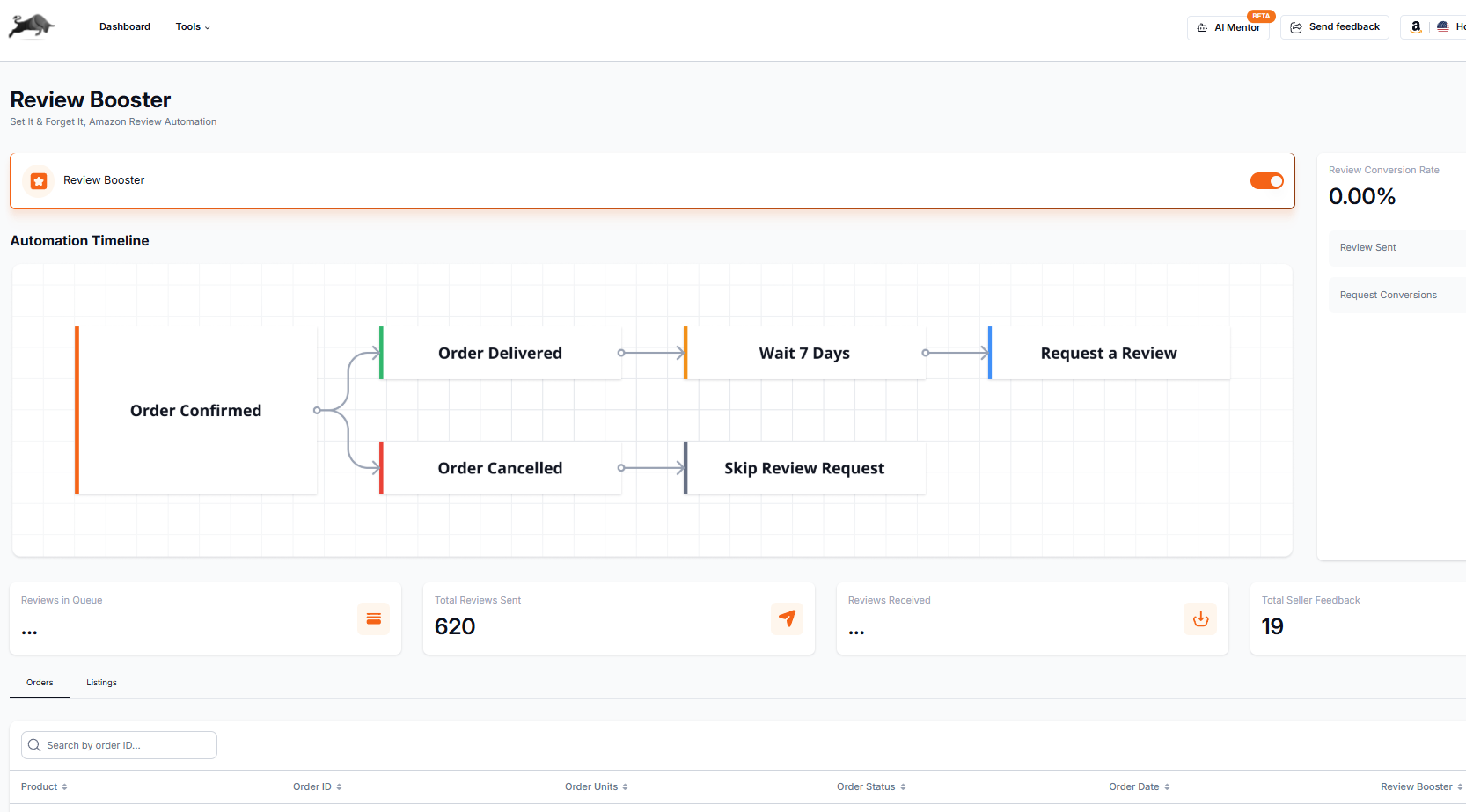
Amazon's own request, sent for you
Review Booster presses Amazon's Request a Review button for you. The buyer gets Amazon's standard message in Amazon's wording, so there is nothing to write and nothing to forget.
You choose the wait
Amazon does not give apps a delivery date for FBA orders, so Review Booster estimates delivery as a few days after the order date and counts your wait from there. For orders you ship yourself, it counts from the delivery date. You pick how many days to wait.
Leave out any listing
If a product should not be asked about, leave that listing out and no order containing it is requested. It works per listing, never per buyer.
A log of every request
Each request is recorded against its Amazon order, with the result Amazon returned, so you can see what was sent and when.
How to switch it on
- Connect your Amazon account to Apex.
- Open Review Booster in Apex Black and switch it on.
- Choose how many days to wait after an order, and leave out any listings you do not want asked about.
Who it covers, and its limits
- Amazon.com orders only, and Amazon decides which orders are eligible.
- It sends Amazon's standard message. It cannot write reviews, customise the message, choose which buyers are asked or ask only happy buyers.
- It does not guarantee a review or a rating.
- Beginner plan: 20 requests a month. Starter and Pro: no monthly limit.
For what automated review requests are and are not allowed to do under Amazon's rules, read how to automate Amazon review requests.

Free to switch on until October 31, 2026
Boosters switched on during the offer keep sending up to 20 requests a month, even after October 31, 2026. After that date, switching one on needs a plan or the trial. Beginner starts with 7 days free, then $49.99 a month, plus tax where applicable. Card required, nothing charged until day 8. Cancel any time before then.
Switch it on in ApexSkip the clicking in Seller Central.
Instead of opening each order and pressing Request a Review yourself, Review Booster does it for every eligible order that is not on a listing you left out. You keep working on sourcing and buying.
Set it once.
Once it is on, Review Booster runs in the background on the wait you chose. It will not ask twice about the same order.