Bundle Watch for Amazon's bundle rule
Check your listings before January 11.
Amazon has announced a new rule for bundles. Bundle Watch checks every listing you sell and tells you what to do about each one.
until the rule starts on January 11, 2027
Free on every Apex plan. No card needed. Bundle Watch only reads.
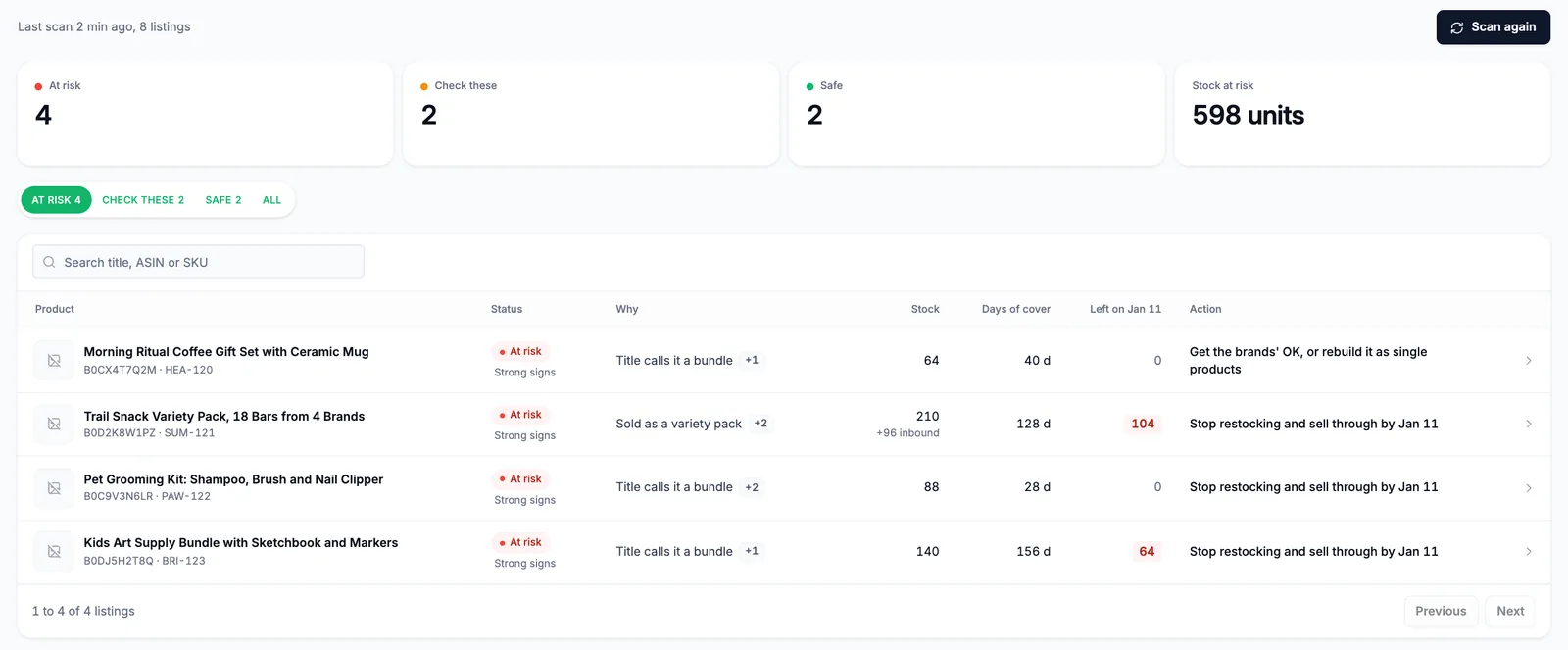
Sample listings. Your own listings appear after you connect.
What's changing
The rule, in plain words.
- Amazon has announced a new rule for bundles: two or more different products sold together as one ASIN.
- From January 11, 2027, most of these bundles must be packed by the brand.
- A bundle a seller puts together from other brands' products is the kind the rule is about.
The exceptions
Amazon's announcement lists exceptions. They include certain gift baskets, camera bundles, and bundles with a Letter of Authorization from the brand.
This is our summary of Amazon's announcement, not legal advice. Read the full rule in Seller Central.
How Bundle Watch works
From sign-up to a plan in minutes.
- 1
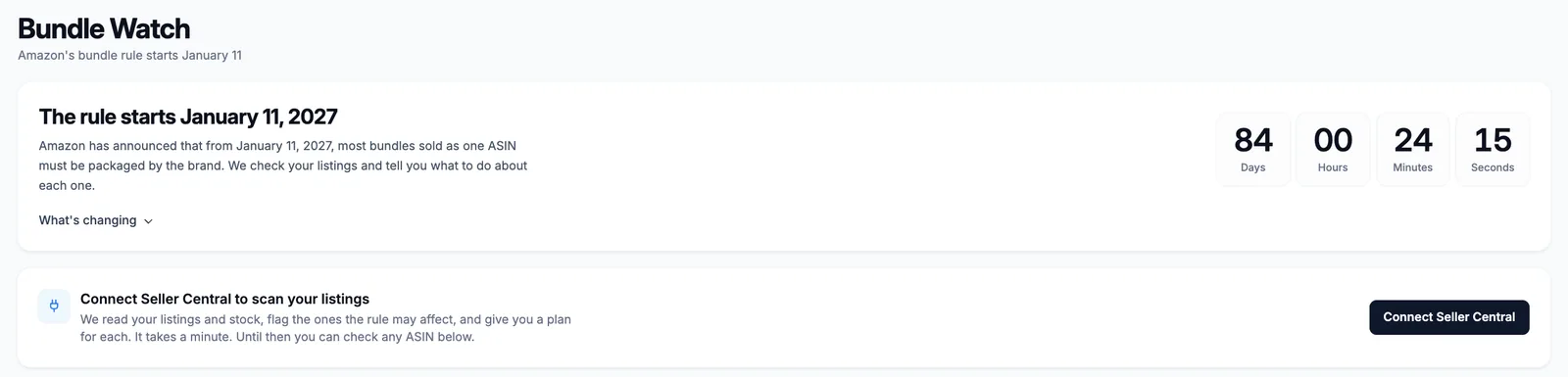
Connect Seller Central
Make your free account and connect your Amazon store. It takes about a minute, and Bundle Watch only reads.
- 2
Scan every listing in seconds
Each listing is marked likely affected, worth a check, or safe. You see why, and which brands are inside.
- 3
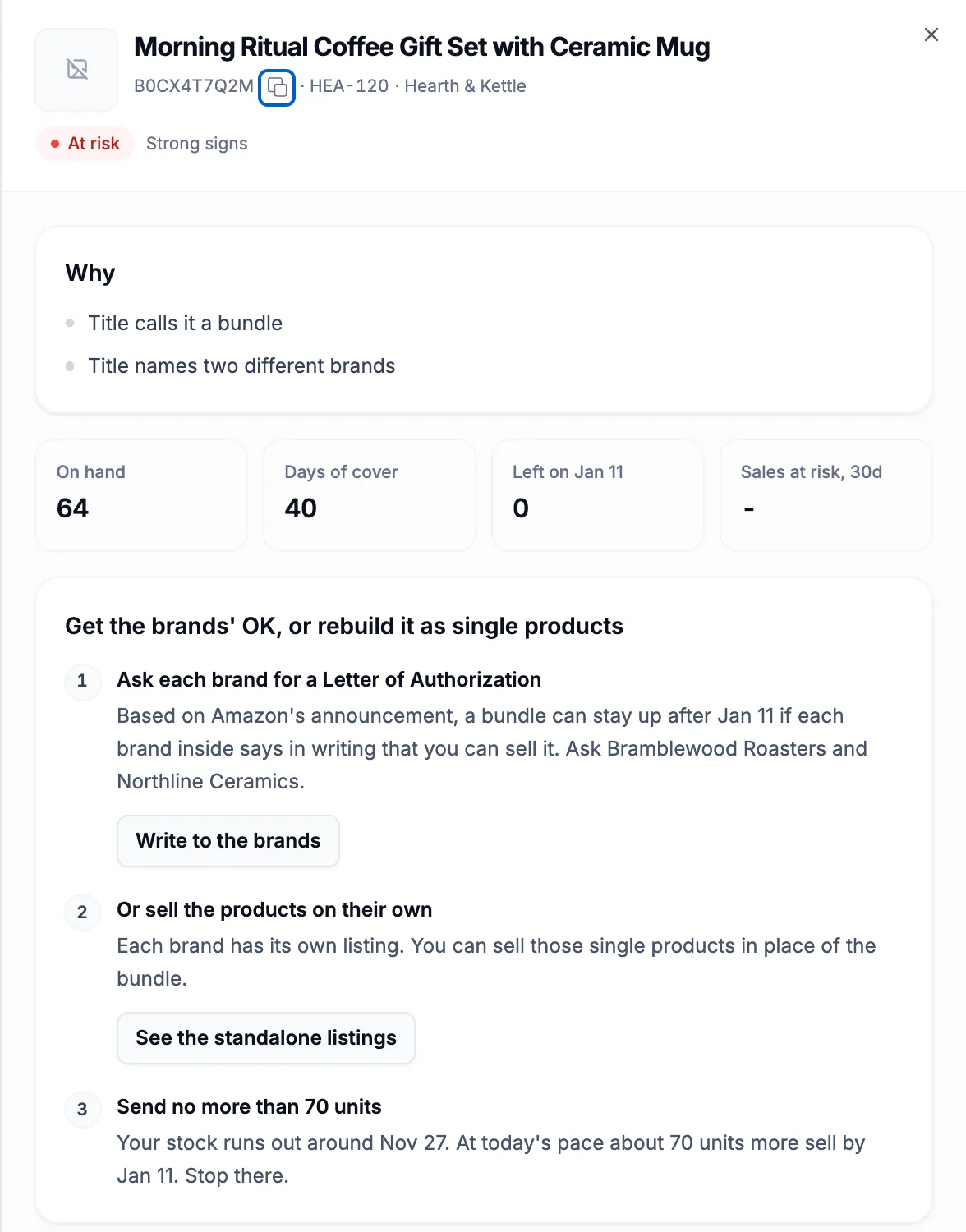
Get a plan for each listing
See how many days of stock you have and how many units will be left on January 11. Then follow the steps.
- 4
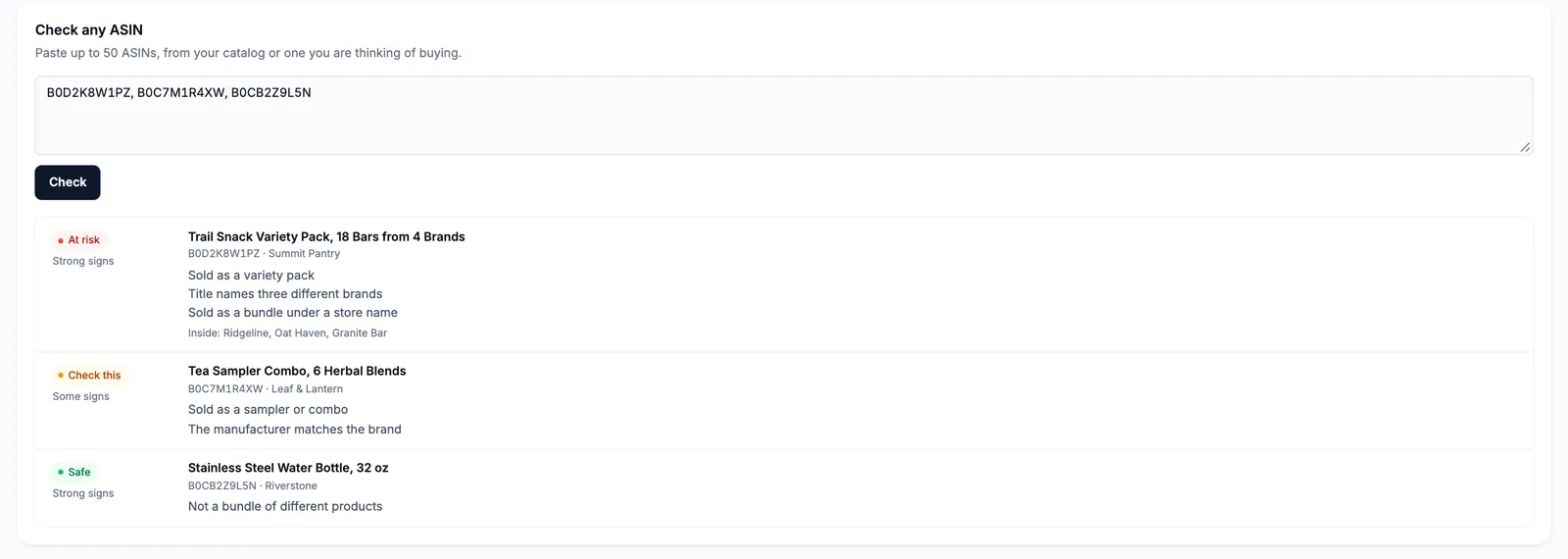
Check any ASIN, free
Thinking of buying a bundle? Paste up to 50 ASINs and check them, even before you connect your store.
What you get
A plan for every listing.
Each listing that needs work gets its own steps. Pick the one that fits.
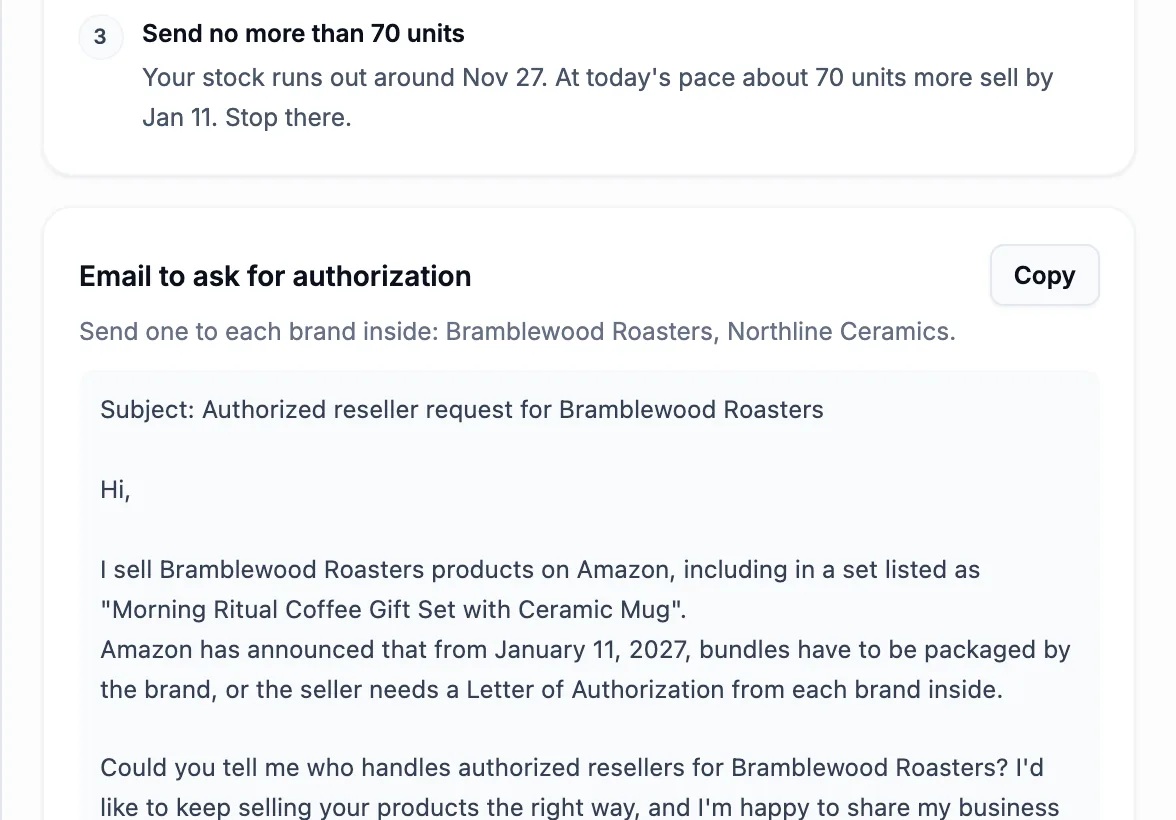
An email to the brand, ready to send
Ask each brand inside for a Letter of Authorization. We write the email. You copy it and send it.
Rebuild it as single products
We show the brands inside and their own listings, so you can sell each product on its own.
Stop restocking at the right time
We work out how many units will sell by January 11, so you don't send in more than you need.
Sell through what's left
See what you'll still have on the date, and how to clear it with a small price drop or a removal.
A free checker for any ASIN
Check a bundle before you buy it, or a listing you don't sell yet.
Highlight my products
Browse flagged listings and switch on Highlight my products. It picks out the ASINs already in your Apex listings, Database or UPC scans.
Why you can trust it
Clear reasons. Your call.
How we check
We read each listing's title, brand and maker fields and look for signs of a bundle made from different brands. Every listing shows its reasons.
Our read, not Amazon's decision
Bundle Watch is our best read of Amazon's announcement. Amazon decides what happens to each listing.
You have the final say
Know a listing is fine? Mark it safe and the plan updates. Think it's at risk? Mark that too.
Free on every plan
Bundle Watch is free with every Apex account, free accounts included. No card needed.
We never change your account
Bundle Watch doesn't edit, close or reprice anything on your Amazon account. You decide what to do.
Read-only
Bundle Watch only reads your listings, stock and sales. You connect through Amazon's own sign-in and can remove access in Seller Central.
Questions
Good to know.
Is Bundle Watch free?
Yes. Bundle Watch is free on every Apex plan, including a free account. No card needed.
What data do you access?
Your listings, stock and recent sales from Seller Central, through Amazon's own sign-in. Bundle Watch reads them to check each listing. It never changes anything on your Amazon account.
What if I have a Letter of Authorization?
Amazon's announcement lists bundles with a Letter of Authorization from the brand as an exception. Mark the listing safe in Bundle Watch and keep the letter where you can find it.
What about gift baskets and camera bundles?
Amazon's announcement lists certain gift baskets and camera bundles as exceptions. Bundle Watch marks them safe when it can tell, and you can mark any listing safe yourself.
What happens on January 11?
Amazon has announced that the rule starts on January 11, 2027. What happens to a listing after that is up to Amazon. Bundle Watch helps you get each listing ready before the date.
Is this legal advice?
No. Bundle Watch gives you our read of Amazon's announcement and a plan for each listing. For your own case, read Amazon's policy in Seller Central or ask an advisor.
Are multipacks affected?
The rule is about bundles of different products. A multipack is many units of one product, so Bundle Watch marks it safe. If you're not sure, read Amazon's policy in Seller Central.
Know where every listing stands.
Check your listings now and have a plan for each one before January 11.
Amazon and Seller Central are trademarks of Amazon.com, Inc. or its affiliates. Apex Applications is an independent software provider. Bundle Watch is our read of Amazon's announcement and is not legal advice. Screenshots show sample listings.