Everything You Get When You Start Your Apex Trial: Tools, Automation, Suppliers, Education, and Support
It is easy to say a platform gives you everything you need. It is more useful to actually list it out. Here is what an Apex Applications account includes, organized by the problem each piece solves, with a plain note wherever a piece depends on your plan or an invitation, so nothing is left vague.
The software: five modules
Apex Black is your dashboard and home base, showing your Amazon balance, sales, and profit at a glance. Apex Blue covers the financial and relationship side of the business: vendor and supplier management, purchase order creation and tracking, full P&L analytics, and Opex tracking for recurring expenses. Apex Green handles sourcing and product research, including a Master Catalog that merges every supplier's price list into one searchable database, and a UPC Scanner that shows landed cost, ROI, and margin for each product.
Apex Gold (beta) is a rule-based repricer. The repricer is part of the Pro plan. Prices change when you run your strategies from Apex. Repricing automatically the moment a competitor changes price is built but not switched on yet.
Apex Red covers shipments, warehouses, inventory at prep centers, prep chat and prep billing. It is in beta and opened by invitation on any plan, so starting a trial does not switch it on by itself. Sellers connected to a prep center that is approved on Apex get it free.
The automation: review requests and margin calculation
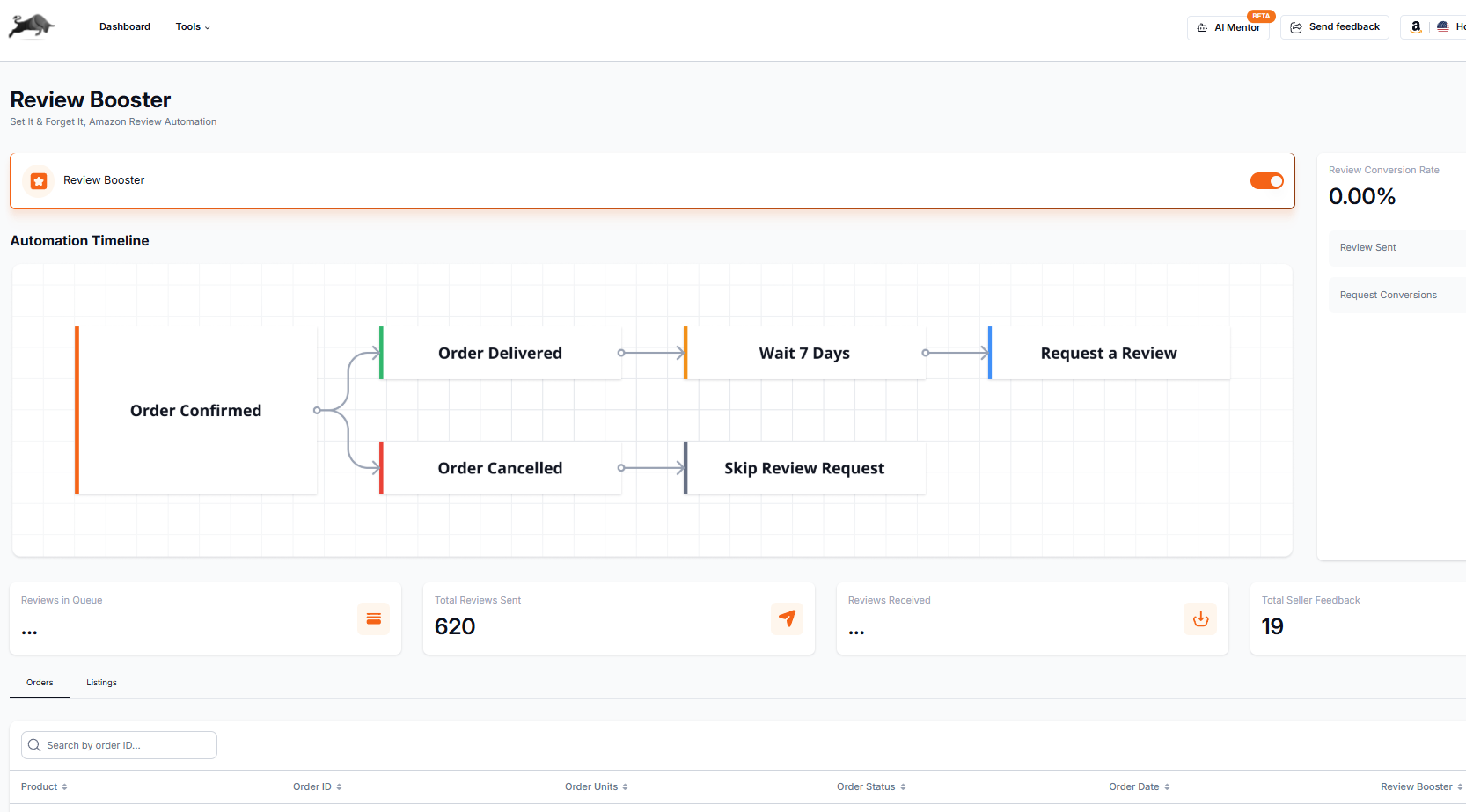
Review Booster sends Amazon's own Request a Review for eligible Amazon.com orders after the wait you set, so you are not tracking order dates by hand. Amazon decides which orders are eligible, and the message is Amazon's standard one, so it cannot pick which buyers are asked or promise a review. It comes with every plan, and how many requests it sends a month depends on the plan. The pricing page has the numbers.
Purchase order and Opex tooling calculate real landed cost margin automatically as soon as an order is entered, rather than requiring a manual spreadsheet formula rebuilt for every product. Restock suggestions in Apex Blue point to inventory that may need a reorder, based on your stock, your sales velocity and the cover and lead time you set.
Apex University comes with a free Apex account: nine lessons, no card.
Prep centers
Evaluating prep centers cold takes real time, including reference checks, sample shipments, and rate comparisons, all covered in our guide to FBA prep centers. If your prep center already works in Apex, Apex Red keeps your shipments, prep chat and prep bills with it in one place. Prep centers can read about joining on Apex for prep centers.
The Distributor Vault
The Distributor Vault is a searchable directory of US wholesale distributors organized by category, so finding a second, third, or tenth supplier does not mean starting from zero every time. Contact details open with a subscription. Every subscription, trial included, opens 3 US wholesale distributors from the Distributor Vault when it starts and 3 more each month. Yearly billing, on Starter and Pro, opens the whole Vault at once. See what each plan includes.
The resources: Apex University and the playbooks
Apex University comes with every account: nine short video lessons that walk through the business from choosing a model to restocking. Inside the app there is also a Playbooks page with five playbooks, on reading Keepa, working with distributors, scripts for contacting suppliers, brand direct sourcing and negotiation. Which of them you can open depends on your plan.
The support behind it
Every account gets Apex University, which covers the software and the business step by step, and the Apex team, who you can reach by email at support@apexapplications.io when you get stuck.
What this replaces
Stitched together piecemeal, the equivalent of the above would mean a separate sourcing tool, a separate review automation tool, cold outreach to find your own suppliers, and no structured education. Our software buyer's guide adds up what a typical stack costs, but the deeper cost is the time spent stitching disconnected pieces together instead of running the business.
Frequently asked questions about what is included with Apex
Do I get all of this during the trial, or only after I pay?
Every plan starts with a 7-day trial with a card on file. On Beginner: 7 days free, then $49.99 a month, plus tax where applicable. Card required, nothing charged until day 8. Cancel any time before then. The trial covers the plan you pick, so what you can use depends on it. Take the repricer: The repricer is part of the Pro plan. Apex Red is opened by invitation. The distributors open when the trial starts, and Apex University comes with the account.
Who helps me get set up?
Apex University walks you through the software and the business, one lesson at a time. If you get stuck, you can reach the Apex team by email at support@apexapplications.io.
What is the difference between the plans?
Beginner is $49.99 a month (monthly only, for new sellers under $5,000 a month in Amazon sales), Starter is $149 a month and Pro is $299 a month. Limits differ by plan, including how many listings the repricer can run on, and every plan starts with a 7-day trial with a card on file. Full details are on the pricing page.
New sellers under $5,000 a month in Amazon sales. Unlimited supplier price lists a month, up to 50,000 lines, 500 products, purchase orders and profit and loss.
7 days free, then $49.99 a month, plus tax where applicable. Card required, nothing charged until day 8. Cancel any time before then.
We build software for Amazon sellers who buy from wholesale suppliers, and we write these guides from what we see in that work.