Supplier Finder by Apex · For Amazon wholesale sellers

Found a product that sells? Find who sells it to you.

Paste an ASIN or a brand name. Supplier Finder finds the brand’s wholesale contact and every distributor that carries it, with the email to send.

4.0 on Trustpilot3 reviews
Apex · Supplier Finder
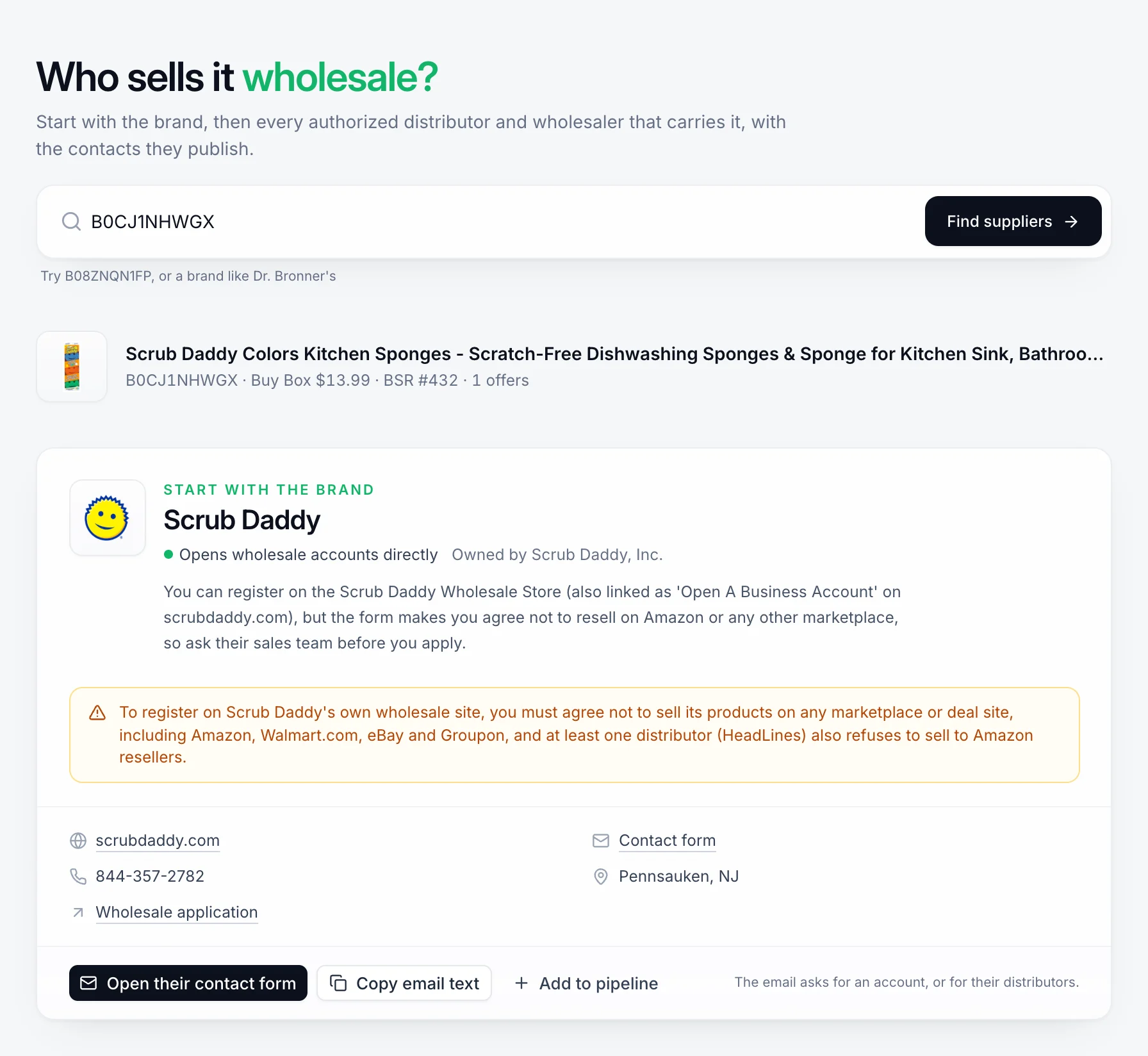
Apex Supplier Finder after searching an ASIN for Scrub Daddy kitchen sponges: the product with its Buy Box price and rank, then the brand card showing it opens wholesale accounts directly, a warning that its wholesale form asks buyers not to sell on Amazon, and its website, phone, contact form and wholesale application.

A real search in Supplier Finder. The brand’s own rule about Amazon shows up before you write to anyone.

The actual problem

You found the product.
You can’t find the supplier.

The rank is good. The Buy Box price leaves room. You want to buy it wholesale, so you search the brand name and the word wholesale.

You get its online shop, a contact form, and three resellers charging more than Amazon. You email info@ and hear nothing. You email twenty distributors and hear back from two. Neither one carries the brand.

Often it’s not that suppliers ignore small sellers. The email went to the wrong door. Supplier Finder shows you the right one.

How Supplier Finder works

Paste one product.
Get the brand and its suppliers.

You do the first step. Apex does the digging.

  1. Step 01

    Paste an ASIN, an Amazon link or a brand.

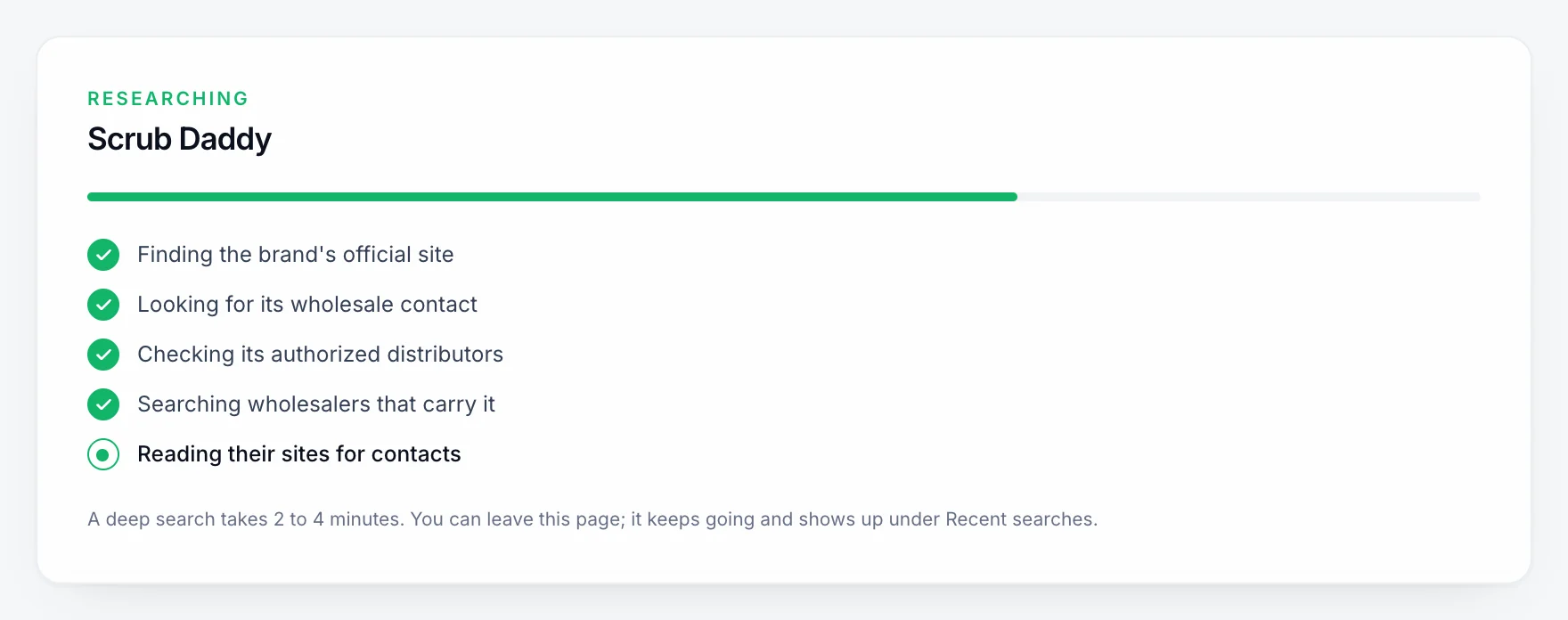
    Use the product you already found. Apex reads the brand off the listing and starts digging. Most searches take 2 to 4 minutes, and it keeps going if you leave the page.

    You end up with

    A search running while you do something else.

    Supplier Finder
  2. Step 02

    Start with the brand itself.

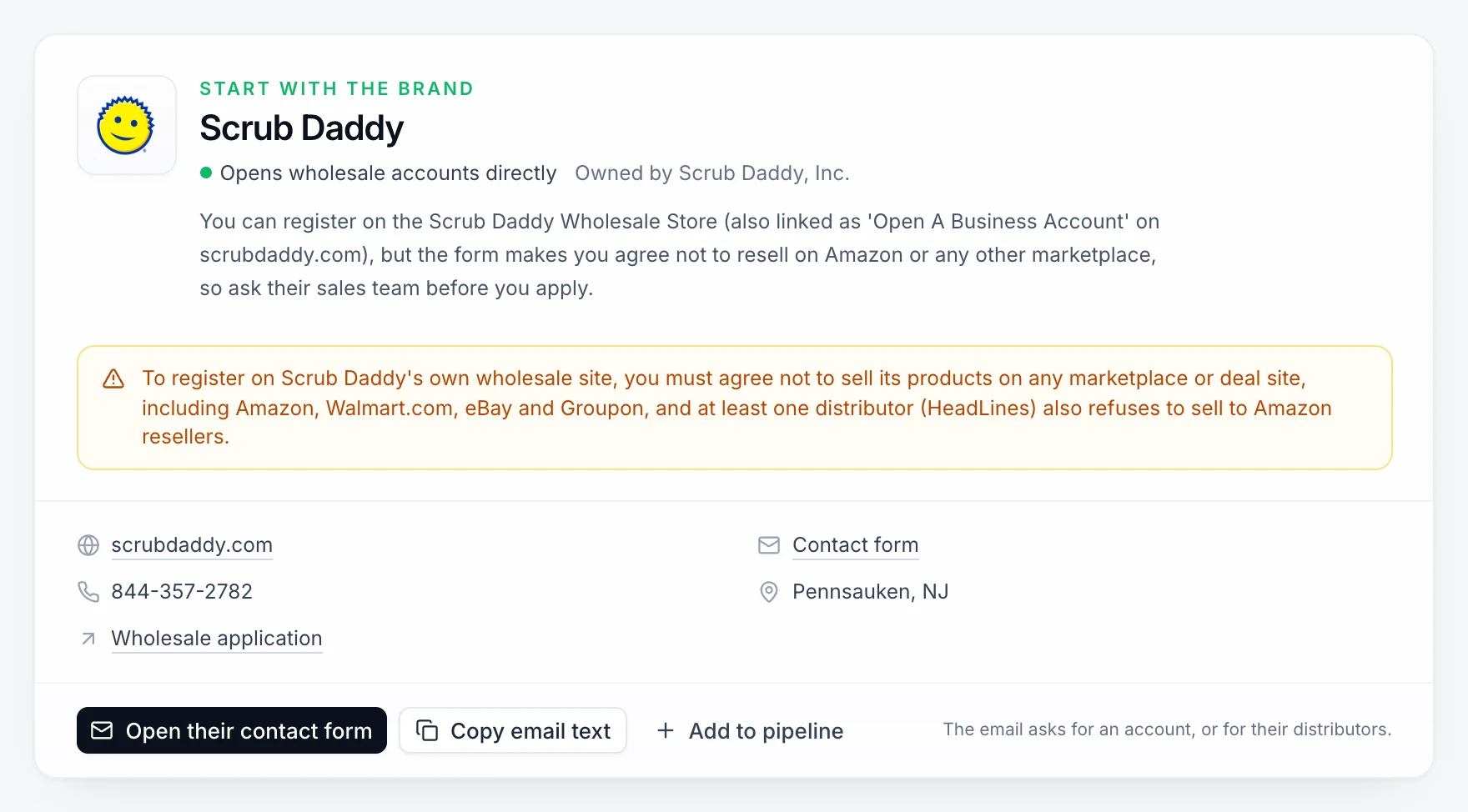
    Apex finds the brand's own site and checks if it opens wholesale accounts. You get its wholesale form, its list of distributors, its best email and phone, and a short email asking for an account.

    You end up with

    The right first door, and what to say.

    Brand card
  3. Step 03

    Then everyone who carries it.

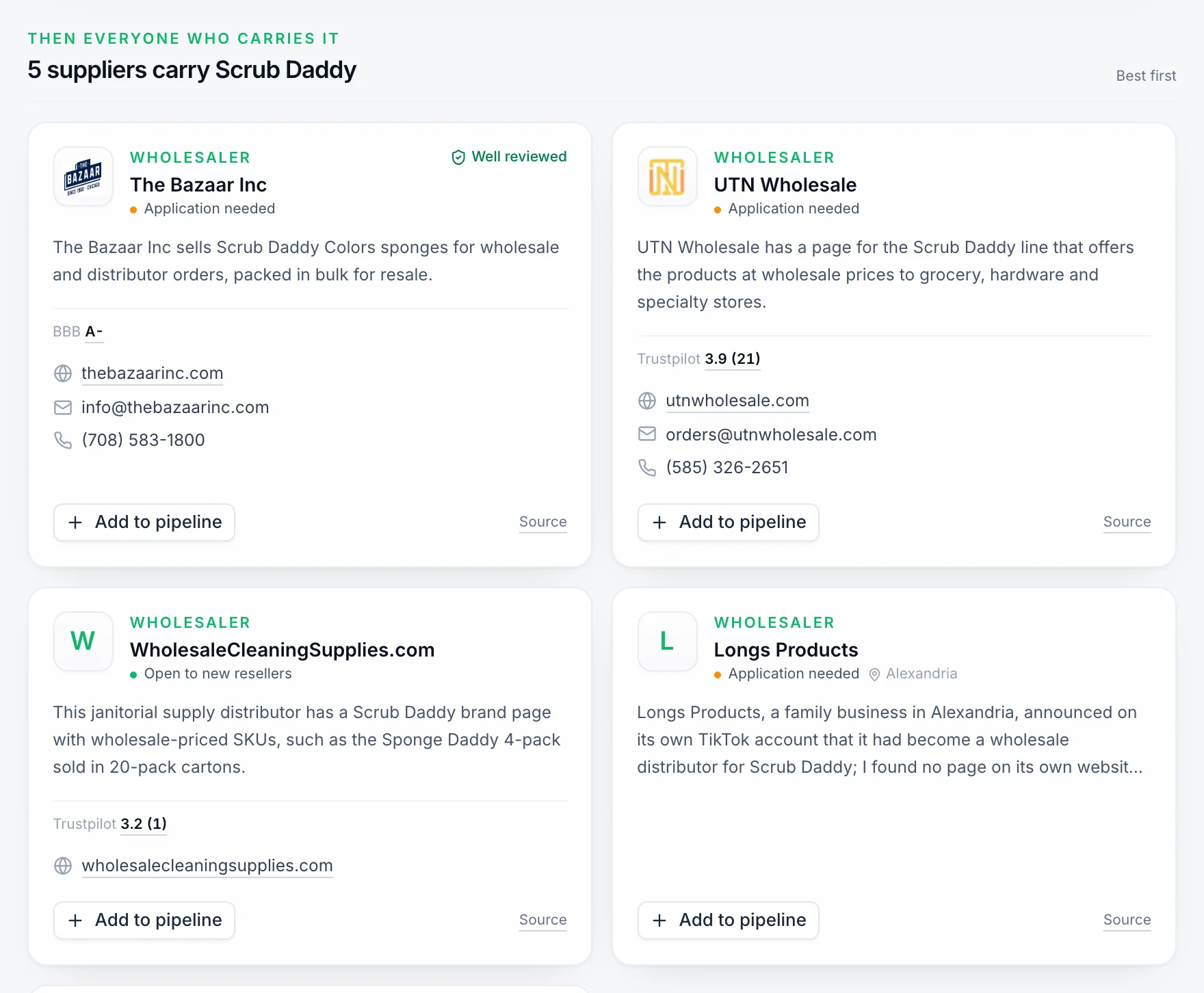
    Authorized distributors and wholesalers, best first. Each one shows how open it is to new sellers, the contacts it publishes, its public reviews, and the page that shows it carries the brand.

    You end up with

    A short list, ranked, with proof.

    Supplier cards
  4. Step 04

    Add the good ones to your pipeline.

    One click puts a supplier on your Vendors page in Apex. When its price list arrives, you scan it and build the order in the same place.

    You end up with

    Suppliers you follow up with, not lose in a tab.

    Vendors

No promise of an account

Each brand and distributor decides who it sells to. You see how open each one is, so you start with the likeliest yes.

No hidden contacts

You get the emails and phone numbers companies publish. If a company only has a contact form, you get the form.

No old list

Searches read the open web, not a sheet someone typed up years ago. Every supplier links to the page it was found on.

What one search gives you

Four things you didn’t have
before you searched.

Not just a list of names. Everything you need to send the first email. Each search also shows how many of the 389 US distributors in the Apex Distributor Vault cover that category.

  • The brand's own doorIts site, whether it opens wholesale accounts, its wholesale form and its list of distributors.
  • Everyone who carries itAuthorized distributors and wholesalers, best first, with how open each one is to new sellers.
  • Their reviewsRatings from Google, Trustpilot and the BBB, so a bad one is easy to skip.
  • The email to sendA short note asking for an account, or for their distributors. Copy it and send it.

Questions

Before you search.

What can I search?

An ASIN, an Amazon product link, or a brand name. Apex reads the brand off the listing and searches for it.

How long does a search take?

Most take 2 to 4 minutes. You can leave the page. The search keeps going and waits for you under Recent searches.

Is it free?

Yes. A free Apex account gets 3 searches a month, and you don't need a card. Paid plans get more: 10 a month on Beginner, 25 on Starter and 150 on Pro.

Will the supplier open an account for me?

We can't promise that. Each brand and distributor decides who it sells to. Supplier Finder shows how open each one is, from Open to new resellers to Hard to get, so you start with the likeliest yes.

Where do the contacts come from?

Apex uses AI to search the open web for you: the brand's own site, distributor pages, trade listings and review sites. Then it reads each company's own site for its email and phone. Every supplier links to the page it was found on, so you can check it yourself.

Will it tell me if a brand won't sell to Amazon sellers?

When the brand or a distributor says so in public, yes. It shows up as a warning at the top, before you write to anyone.

Do I need to connect my Amazon account?

No. Paste the ASIN and search. You can connect your store later for the rest of Apex.

Where is it after I sign up?

In Apex, open Tools and pick Supplier Finder, or type its name in the search box at the top.

Your next step

Stop emailing the wrong door.
Find who sells it to you.

Open your free Apex account and paste the product you found. Supplier Finder can’t make a supplier say yes. But it makes sure you ask the right one.

P.S. Some brands won’t sell to Amazon sellers at all. Better to learn that in a few minutes than after 20 emails.

Supplier Finder shows contact details, terms and reviews that companies and review sites publish on the web. Each supplier decides who it opens an account for, and its terms, stock and prices can change. Apex is software and does not sell the products it finds. Brand and company names in the screenshots belong to their owners. Amazon is a trademark of Amazon.com, Inc. or its affiliates. This site is not part of or endorsed by Facebook. FACEBOOK is a trademark of Meta Platforms, Inc.